Input/Output Ports
A connection point that acts as interface between the computer and external devices like mouse, printer, modem, etc. is called port. Ports are of two types −
Internal port − It connects the motherboard to internal devices like hard disk drive, CD drive, internal modem, etc.
External port − It connects the motherboard to external devices like modem, mouse, printer, flash drives, etc.
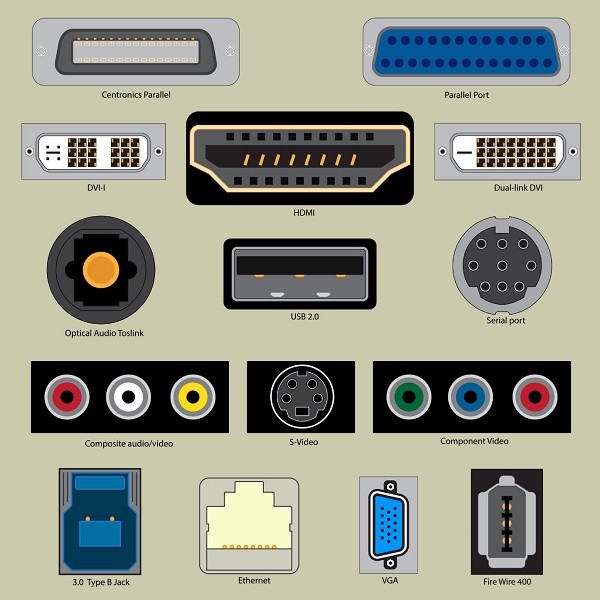
Let us look at some of the most commonly used ports.
Serial Port
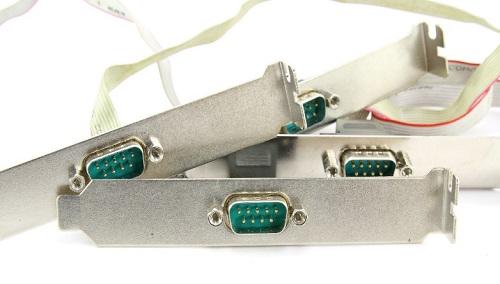
Serial ports transmit data sequentially one bit at a time. So they need only one wire to transmit 8 bits. However it also makes them slower. Serial ports are usually 9-pin or 25-pin male connectors. They are also known as COM (communication) ports or RS323C ports.
Parallel Port
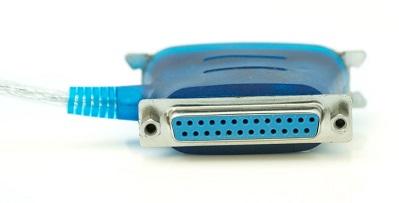
Parallel ports can send or receive 8 bits or 1 byte at a time. Parallel ports come in form of 25-pin female pins and are used to connect printer, scanner, external hard disk drive, etc.
USB Port
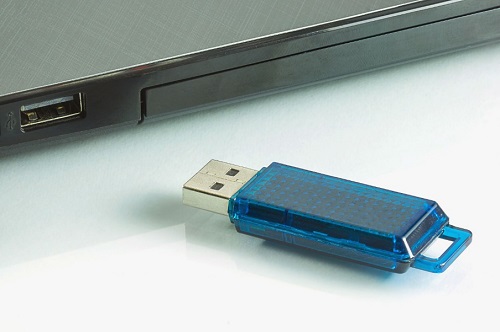
USB stands for Universal Serial Bus. It is the industry standard for short distance digital data connection. USB port is a standardized port to connect a variety of devices like printer, camera, keyboard, speaker, etc.
PS-2 Port
PS/2 stands for Personal System/2. It is a female 6-pin port standard that connects to the male mini-DIN cable. PS/2 was introduced by IBM to connect mouse and keyboard to personal computers. This port is now mostly obsolete, though some systems compatible with IBM may have this port.
Infrared Port
Infrared port is a port that enables wireless exchange of data within a radius of 10m. Two devices that have infrared ports are placed facing each other so that beams of infrared lights can be used to share data.
Bluetooth Port
Bluetooth is a telecommunication specification that facilitates wireless connection between phones, computers and other digital devices over short range wireless connection. Bluetooth port enables synchronization between Bluetooth-enabled devices. There are two types of Bluetooth ports −
Incoming − It is used to receive connection from Bluetooth devices.
Outgoing − It is used to request connection to other Bluetooth devices.
FireWire Port
FireWire is Apple Computer’s interface standard for enabling high speed communication using serial bus. It is also called IEEE 1394 and used mostly for audio and video devices like digital camcorders.
Discussion & Queries (<$I18NNumComments$>):
<$CommentPager$>
- <$I18NAtCommentTimeWithPermalink$>, <$I18NCommentAuthorSaid$>
<$CommentPager$>
<$BlogCommentBody$>
<$BlogCommentDeleteIcon$>