Linked List In Dynamic Partitioning
Linked List In Dynamic Partitioning
Linked list is used to find free or filled partitions in dynamic partitioning. In link list there are different nodes and partitions are available where one node represents one partition and other node represents the other node. OS maintains the the Link List.
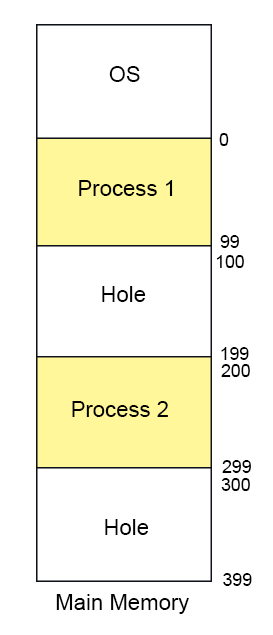
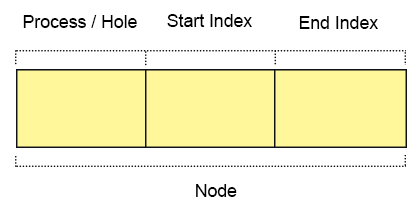
Every node has three fields
- First field: First field of the node holds a flag bit (0, 1) which shows whether the partition is a free/hole or some process is inside.
- Second field: Second field of node stores the starting index of the partition.
- Third filed: Third field of node stores the end index of the partition.
Types of Linked list In Dynamic Partitioning
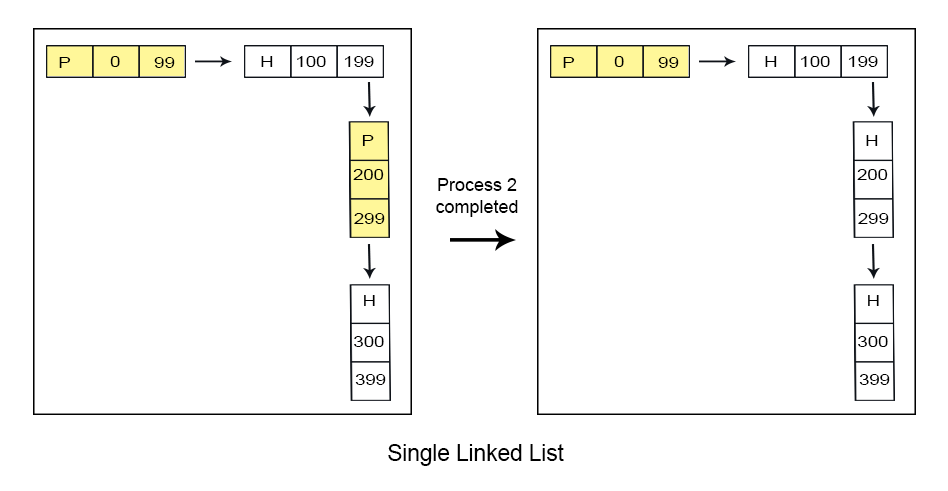
1. Single Link List
Single link list, traverse only in forward direction. It can detect only holes or process but cannot merge the adjacent holes.
2. Double Link List
Double link list, traverse in both forward and backward directions. It can detect holes and can merge the adjacent partitions of holes as well.
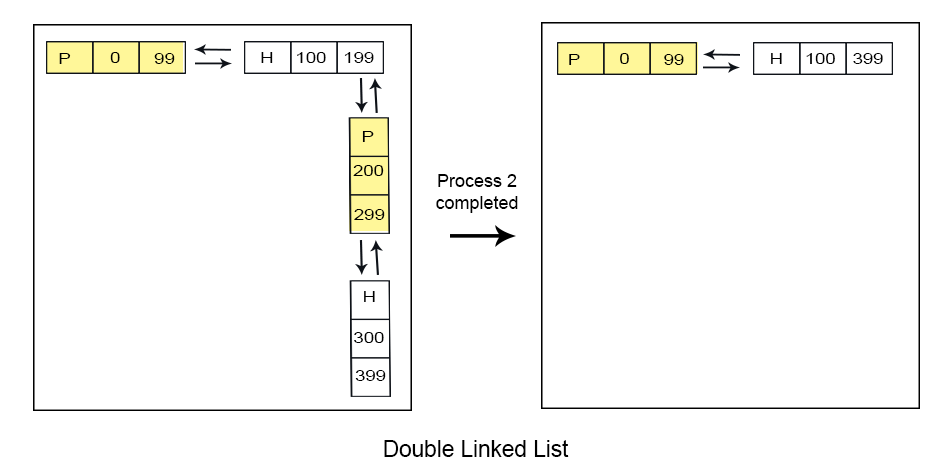
Advantages of double linked list over single link list
Reduce the No. of partitions will increase the degree of multi-programming.
Labels: Operating System, Operating System Unit-4
Discussion & Queries (<$I18NNumComments$>):
<$CommentPager$>
- <$I18NAtCommentTimeWithPermalink$>, <$I18NCommentAuthorSaid$>
<$CommentPager$>
<$BlogCommentBody$>
<$BlogCommentDeleteIcon$>